
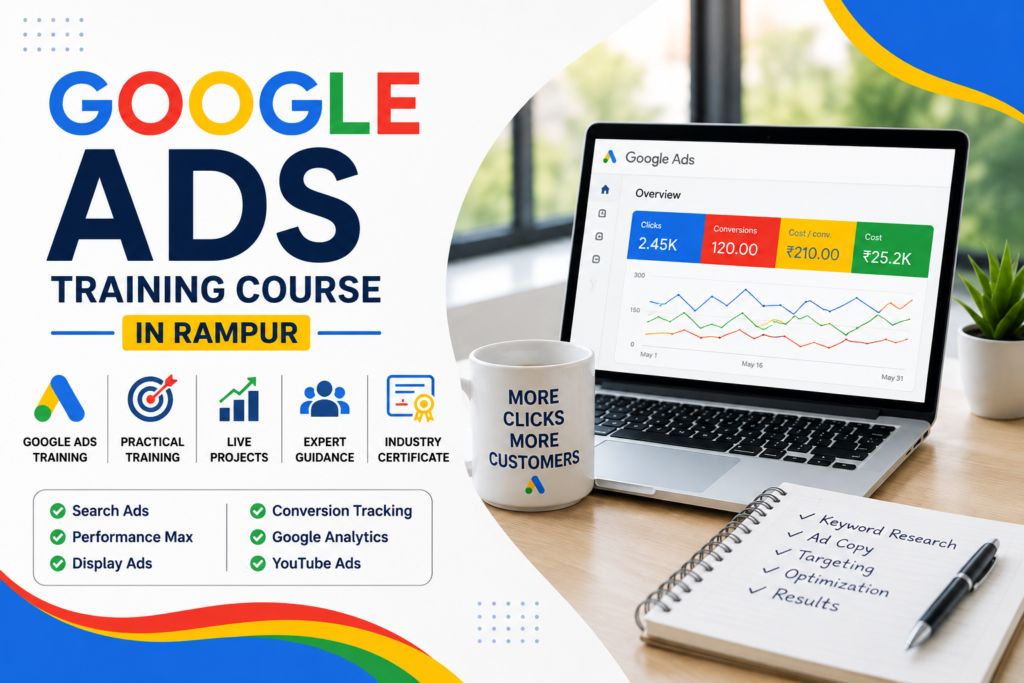
Learn how to plan, build and improve Google Ads campaigns — step by step, with practice, not just theory
You’ve probably searched something on Google and seen an ad right at the top before the normal results. That’s Google Ads at work. In this course, you’ll learn exactly how that happens — and how to do it yourself. You’ll research keywords, set up campaigns, write ads that actually get clicked, track what’s working, and fix what isn’t.
We keep it practical. You won’t just watch us build a campaign — you’ll set up and run practice campaigns yourself, using realistic examples close to what a Rampur business actually needs.
✅ Starts from zero, no experience needed
✅ Hands-on practice, not just slides
✅ Covers Search Ads and Performance Max
✅ Learn to track leads, calls and sales
✅ Classroom in Rampur, or join online
🤔 Why Learn Google Ads?
Here’s something you’ve probably done yourself without thinking about it.
You search “best coaching centre in Rampur” or “dentist near me.” Right at the top of the page, before the usual results, you see a few links marked “Sponsored.” Those businesses paid to be there — and they show up exactly when someone is looking for them.
That’s the whole idea behind Google Ads. It puts a business in front of someone at the moment they’re searching for that product or service. A coaching centre gets seen by students looking for admission. A clinic gets seen by patients looking for a doctor. A shop gets seen by someone ready to buy.
The good part? Unlike free Google ranking (SEO), which can take months, a Google Ads campaign can start showing results the same day it goes live. That’s why almost every serious business — big or small — uses it, and why more people are looking for proper PPC training instead of learning it randomly through YouTube videos.
Once you know Google Ads, you can:
- Work as a PPC Executive or Google Ads Executive in a company
- Work for a digital marketing agency, managing client campaigns
- Freelance and run campaigns for clients on your own time
- Help local Rampur businesses get more calls and enquiries
- Run ads for an online store
- Manage the advertising for your own business
You don’t need to leave Rampur to learn this or to use it. Many people run Google Ads campaigns for clients sitting anywhere from a small office to their own home.
📋 Course At a Glance
Duration
3 Months (Weekend Batch)
Saturday & Sunday Classes
Live Projects
Practice on real websites with hands-on assignments.
Certificate
Industry-recognized course completion certificate.
AI Tools
Learn ChatGPT, Gemini & AI-powered SEO workflows.
Mode
Offline + Online Learning Available
Career Support
Resume building, interview preparation & placement guidance.
One honest note: our certificate comes from Rampur Digital Academy, not from Google. If you want to go for Google’s own certifications later, we’ll guide you on how to prepare for those separately.
🤔 What is Google Ads?
Let’s keep this simple.
Google Ads is Google’s advertising system. A business pays to show its ad to people who are searching for something related on Google, or watching videos on YouTube, or browsing certain websites.
This is different from SEO. SEO is about earning a spot in the free (organic) results over time. Google Ads is about paying to appear — usually with a small “Sponsored” tag next to it — and it can start working almost immediately.
A few words you’ll hear a lot in this course, explained simply:
- PPC (Pay-Per-Click): In most campaigns, you only pay when someone actually clicks your ad — not just for it being shown.
- Search Intent: What the person really wants when they type a search. Someone searching “how does Google Ads work” wants information. Someone searching “Google Ads course near me” is ready to join something.
- Keywords: The words a business picks so its ad shows up for the right searches.
- Bidding: How much you’re willing to pay, on average, to get a click or a result.
- Conversion: A useful action after someone clicks your ad — like filling a form, calling you, or buying something.
A quick example
Say someone in Rampur searches “SEO course in Rampur.” A training institute can show its ad right there, above the normal search results. But here’s the part people often get wrong — the business isn’t paying Google a flat fee just to be seen. What they pay depends on the bidding they’ve set, how the campaign is built, and how well it’s optimized. We’ll teach you all of this properly
⚙️ How Google Ads Actually Works
Here’s the full journey, from search to result, broken into simple steps:
- Someone searches for something on Google
- Google checks which ads are eligible to show for that search
- An auction happens instantly — this decides which ads actually appear
- The most relevant ads show up on the results page
- The person clicks an ad
- They land on the advertiser’s website (the landing page)
- They take an action — fill a form, call, or buy something
- That action gets recorded as a conversion
- The advertiser looks at what happened — clicks, cost, results
- The campaign gets adjusted and improved based on that
Every module in this course connects back to this one cycle: the right keywords, the right ad, a landing page that matches, a sensible budget, and tracking that tells you what actually happened.
🎯 Why This is a Useful Skill Right Now
- Businesses don’t just want visitors anymore – they want calls, enquiries and sales they can count
- Coaching institutes need admissions, especially before the season starts
- Local shops and clinics need people walking in or calling
- Online stores need actual purchases, not just clicks
- Agencies are always looking for people who can plan and run PPC campaigns properly
- Freelancers can offer campaign setup and monthly management as a real service
- And unlike a lot of marketing, Google Ads gives you numbers – clicks, cost, leads, sales – so you always know what’s working
We won’t tell you this guarantees you a job or a fixed income. What it gives you is a skill that’s genuinely in demand, and one you can prove with real work, not just a certificate.
👨🎓 Who Can Join This Course?
You don’t need any prior Google Ads or marketing experience to join. We start from zero.
- Students
- College Graduates
- Job Seekers
- Working Professionals
- Business Owners
- Freelancers
- Shop Owners
- Beginners (No Technical Background)
📚 Complete Google Ads Course Curriculum
We’ve broken this course into 19 modules. Each one builds on the last, so by the end, you’re not just familiar with Google Ads — you can actually run a campaign from start to finish.
Module 1: Google Ads & PPC Basics
- What Google Ads actually is, and what PPC means
- How the whole system works, step by step
- Understanding what a person wants when they search (search intent)
- How an account is organised: Account → Campaign → Ad Group → Ads → Keywords
- Setting goals for a campaign before you build it
- The basic terms you’ll use every day
Module 2: Setting Up a Google Ads Account
- Creating and understanding a Google Ads account
- Structuring the account properly from day one
- Billing basics — how payment actually works
- Adding business information correctly
- Choosing the right campaign and conversion goals
- Setting location and language targeting
- A first look at audience settings
Module 3: Keyword Research
- Understanding what people actually want when they search — informational, commercial, transactional, local
- Using Google Keyword Planner to find real keywords
- Reading search volume and competition
- Why long-tail keywords (longer, more specific searches) often convert better
- Negative keywords — telling Google what NOT to show your ad for
- Match types: Broad, Phrase, and Exact
- Grouping keywords properly so your ads stay relevant
- A basic look at what competitors are targeting
Module 4: Google Search Ads
- Setting up a Search campaign from scratch
- Building ad groups that match your keywords
- Writing Responsive Search Ads — headlines and descriptions
- What makes an ad “relevant” in Google’s eyes
- Adding extras: sitelinks, callouts, structured snippets, call buttons
- Making sure your landing page actually matches your ad
Module 5: Writing Ads That Get Clicked
- Writing headlines and descriptions that match what people are searching for
- Talking about benefits, not just features
- Writing a call to action that actually asks for the click
- Writing local ad copy for a Rampur audience
- The difference between lead-generation copy and e-commerce copy
- Basic A/B testing — trying two versions to see what works better
- Using AI to get ad copy ideas — and why you still need to check and edit it yourself
Module 6: Budget & Bidding
- Setting a daily budget and a campaign budget
- Understanding CPC, CPM, CPA and ROAS in plain terms
- Bid strategies: Maximize Clicks, Maximize Conversions, Target CPA
- Maximize Conversion Value and Target ROAS
- A look at manual bidding
- Understanding Smart Bidding
- Picking the right strategy for what you’re actually trying to achieve
- Why a campaign needs a “learning period” — and why changing it too often hurts performance
Module 7: Conversion Tracking
- What a “conversion” really means, and why it’s the most important number in your account
- Tracking form fills, phone calls, purchases and sign-ups
- Setting up conversion actions properly inside Google Ads
- Understanding primary vs secondary conversions
- Assigning value to different conversions
- A simple introduction to attribution (which click gets the credit)
- Why good tracking is what makes Smart Bidding actually work
Module 8: Google Tag Manager + GA4 (for Google Ads)
- GA4 basics — events and what counts as a “key event”
- Google Tag Manager basics — tags, triggers, and variables
- Testing and fixing tags when something isn’t tracking properly
- Connecting your GA4 data to Google Ads
- Reading your campaign data inside GA4
(We teach this to the depth you actually need for Google Ads — this isn’t a full analytics course on its own.)
Module 9: Performance Max
- What Performance Max is and how it’s different from a normal Search campaign
- Setting conversion goals for it
- Building asset groups — headlines, descriptions, images, and videos
- Using audience signals and search themes to guide it
- What Final URL expansion does, and when to use it
- Setting brand exclusions where needed
- Budget and bidding for Performance Max
- Connecting your conversion tracking so it actually works well
- Reading Performance Max reports, and mistakes to avoid
Module 10: Display Ads
- Display campaign basics
- Targeting by audience and by website context
- Where your ads can show up (placements)
- Creating simple image ads
- A first look at remarketing through Display
- Setting a sensible budget and checking performance
Module 11: YouTube / Video Ads
- The basics of advertising on YouTube
- Different video ad formats
- Targeting the right audience for video
- Remarketing to people who’ve already watched your videos
- Writing a good hook and call to action for video
- What to measure — leads, or just awareness
Module 12: Remarketing & Audiences
- What remarketing means — showing ads again to people who already visited you
- Setting up remarketing to website visitors
- Audience signals and “in-market” audiences (people actively shopping for something)
- Using your own customer data (with privacy in mind)
- Building a remarketing campaign around your sales funnel
Module 13: Getting Leads with Google Ads
- The lead journey: Search → Landing Page → Enquiry
- Running call-focused campaigns
- Using lead forms and contact forms
- Setting up WhatsApp or contact-based enquiry flows
- Understanding cost per lead
- Why lead quality matters more than lead quantity
- Tracking leads properly so you know what’s really working
- Improving lead quality through better targeting and copy
Module 14: E-commerce & Online Sales
- Setting the right objective for an online store
- Merchant Center basics and product feeds
- Understanding Shopping campaigns
- Using Performance Max to sell products online
- Conversion value and ROAS for e-commerce
- Looking at performance product by product
Module 15: Google Ads for Local Businesses
This one’s especially useful if you’re from Rampur or want to help local businesses here.
- Location targeting and “near me” searches
- Building call-focused local campaigns
- Local keyword research
- Making sure your landing page matches local intent
- A real, worked-through example: planning a campaign for “digital marketing course in Rampur” — from keyword research, to campaign structure, to writing the ad, to the landing page, to tracking, to improving it over time
Module 16: Improving Campaign Performance
- Reading CTR, CPC, conversion rate, CPA, ROAS and conversion value — and knowing what each one is actually telling you
- Going through search terms to catch wasted spend and find new opportunities
- Checking ad relevance and how well your landing page matches your ad
- Reviewing whether your budget and bid strategy are working
- Comparing performance by keyword, by ad, and by asset
- Checking performance by location, device, and time of day
- Finding where money is being wasted, and where there’s room to grow
- Why “just increase the budget” is rarely the real fix
Module 17: Reporting
- Reading Google Ads reports and search-term reports properly
- Reporting on conversions and cost
- Picking the right numbers to report, depending on the business
- Building a simple report in Looker Studio
- Explaining your results in a way a client or manager will actually understand
Module 18: Using AI for Google Ads
- Using ChatGPT and Gemini to brainstorm keywords and ad copy
- Using AI to build competitor-research frameworks and summarise campaign data
- Using AI to speed up sorting through search terms and writing reports
- Why you should never copy AI output blindly — you check it, you edit it, you decide
🛠️ Tools You Will Use
Learn industry-standard tools used by digital marketing agencies, freelancers, and businesses to improve website rankings and analyze performance.
Google Keyword Planner
Google Ads Editor
Google Tag Manager
Google Analytics 4 (GA4)
Looker Studio
Semrush
🚀 Practical Projects
You can’t really learn Google Ads by only watching someone else do it. So every module comes with practice, and the course ends with practical project work you can actually show later – to an employer or a client.
Local Lead Generation
Plan a complete Google Ads strategy for a Rampur-based coaching centre to generate relevant admission enquiries.
Digital Marketing Institute
Build a Google Ads campaign strategy for Rampur Digital Academy, from keyword research to conversion tracking.
Service Business
Plan a campaign designed to bring relevant enquiries to a local service business through Google Search Ads.
E-commerce
Plan an online sales campaign and learn how to track purchases, conversion value and ROAS.
Campaign Audit
Review a sample Google Ads campaign, identify problems and find practical ways to improve its performance.
Conversion Tracking Plan
Build a complete tracking plan for forms, phone calls, purchases and sign-ups so campaign results can be measured.
💻 How You Will Actually Practice
“You can’t learn Google Ads by just watching someone build a campaign.”
That’s the idea behind how we teach. In this course, you’ll spend most of your time doing, not just listening:
- Building campaign structures yourself
- Doing your own keyword research
- Writing and testing ad copy
- Setting up targeting and budgets
- Building conversion tracking plans
- Reading campaign data and reports from practice accounts and case studies
- Finding what’s working and what isn’t in these practice accounts
- Putting together sample, client-style reports
- Doing assignments after every module
- Working through all six projects above
📊 Practice Case Studies
(These are training examples we use to teach — not client results we’re claiming, unless we say so directly.)
Example — Local Coaching Institute The problem: running ads, but not getting enough enquiries. What we teach: fixing this usually comes down to better location targeting, proper conversion tracking, and making sure the landing page actually matches what the ad promised.
Example — Local Service Business The problem: plenty of website visitors, but very few actually turn into leads. What we teach: sharpening keyword intent, adding negative keywords so the ad doesn’t show for the wrong searches, and making sure tracking is set up correctly so you can actually see what’s happening.
Example — E-commerce Business The problem: decent traffic, but weak sales. What we teach: tracking conversion value properly, restructuring the campaign, and using Performance Max in a way that’s built around your actual products.
🎓 Internship Program
Students who do well in their assignments and project work get a chance to join our internship.
During the internship, you’ll:
- Work on practical, guided Google Ads tasks
- Get honest feedback on your actual work
- Build a stronger portfolio to show in interviews later
Internship seats depend on how you perform during the course – it’s not something every student automatically gets.
📜 Certification
Once you finish the course, you’ll get a Rampur Digital Academy Certificate of Completion.
We’ll also guide you on how to prepare for Google’s own certifications, if you want to go for those separately.
💼 Career Options After This Course
After completing this course, you can apply for entry-level jobs, work as a freelancer, or help businesses improve their online visibility. Here are some common career paths:
Google Ads Executive
- Keyword Research
- Search Campaign Management
- Writing and Improving Ads
- Campaign Performance Optimization
PPC Executive
- Manage Paid Search Campaigns
- Monitor Campaigns Day to Day
- Prepare Performance Reports
- Manage Budgets and Campaign Data
Performance Marketing Executive
- Paid Advertising
- Conversion Tracking
- Analytics and Reporting
- Campaign Optimization
Paid Media Specialist
- Manage Paid Advertising Across Channels
- Plan Overall Advertising Strategy
- Analyze Campaign Performance
- Optimize Budgets and Results
PPC Analyst
- Analyze Campaign Data
- Build Performance Reports
- Find Useful Campaign Insights
- Support Data-Driven Decisions
Google Ads Freelancer
- Find and Communicate with Clients
- Set Up Google Ads Campaigns
- Manage Campaigns Regularly
- Prepare Monthly Reports
Important: Salary ranges are indicative and based on publicly available salary data in India. Actual compensation may vary based on experience, skills, location, company, industry and job role.
🌍 Freelancing Opportunities
Once you’re confident with your skills, here’s where you can look for Google Ads / PPC work:
Fiverr
A good place to land your first few Google Ads gigs and build client reviews.
Upwork
Better for longer-term Google Ads projects, remote clients and ongoing work.
Build a professional profile and connect directly with business owners who need advertising help.
Freelancer.com
Bid on Google Ads and campaign-management jobs to gain experience and build your freelance career.
Direct Clients
Work with coaching centres, clinics, shops and service businesses right here around Rampur.
Personal Branding
Share what you know, build trust and create opportunities that can bring you new clients.
We’ll also walk you through:
- Putting together a simple PPC portfolio, including audit samples
- Finding prospects and writing proposals that actually get replies
- Handling discovery calls and client conversations
- Pricing your work and setting up monthly retainers
- Reporting to clients in a way they’ll understand
- Keeping a client relationship going, not just landing the first project
- Handling access to a client’s Google Ads account safely and professionally
We’re not going to promise you’ll land clients – nobody can promise that. What we can promise is teaching you the actual process, so you know what to do.
🏪 How Rampur Businesses Can Use Google Ads
A lot of businesses in Rampur still depend mainly on word of mouth or the occasional social media post. Google Ads gives them a way to be seen by people who are actively searching for exactly what they offer.
Some examples we cover in the course:
- A coaching institute using Google Ads to bring in admission enquiries
- A local clinic running call and appointment campaigns
- A real estate business generating leads through Search
- A digital marketing institute (we use Rampur Digital Academy itself as a live practice example)
- Local shops and service providers running “near me” and call-focused campaigns
If you run a business yourself, this course also teaches you how to plan and manage all of this on your own.
🏆 Why Learn With Rampur Digital Academy?
- You practice hands-on here — this isn’t a slideshow course
- Small batches, so trainers can actually pay attention to you
- We start from zero — no marketing background assumed
- Practice projects are built around realistic Rampur business scenarios
- Conversion tracking gets its own proper focus, not a five-minute mention
- We spend proper time on optimization, not just campaign setup
- AI tools are taught as part of the actual workflow, not as a bonus add-on
- Freelancing guidance is included, not sold separately
- Resume help and interview preparation included
- Learn from a classroom in Rampur, or join online
- You can still reach out with questions after the course ends
🪜 How the Course Progresses
❓ Frequently Asked Questions
Is this Google Ads course good for complete beginners?
Do I need any past digital marketing experience?
How long is the course?
Can I join online?
What’s the course fee?
Will I get a certificate?
Is this an official Google certification?
Will I learn Google Search Ads?
Will I learn Performance Max?
Will I learn YouTube Ads?
Will I learn Display Ads?
Do you teach conversion tracking?
Will I learn Google Tag Manager?
Will I learn GA4?
Do you teach keyword research?
Will I work on practical projects?
Can business owners join?
Can I freelance after finishing the course?
Do you help with jobs and interviews?
Can I attend a free demo class first?
✅ Ready to Learn Google Ads?
Google Ads isn’t just about making an ad and hoping it works. It’s about understanding your customer, picking the right keywords, structuring a campaign properly, setting a sensible budget, tracking what actually happens, and improving it over time.
At Rampur Digital Academy, that’s exactly how we teach it — by doing it. From keyword research and campaign setup, to conversion tracking and reading performance data.